PuTTY configuration for the RC2014 ESP8266 module
Another note to self rather than anything else - a PuTTY version 0.78 configuration that works well for an RC2014 running CP/M from the Micro SD card and SIO/2 module (Somehow this selection of modules seems fussier than the Compact Flash module paired with the MC68B50 - but this configuration works for both).
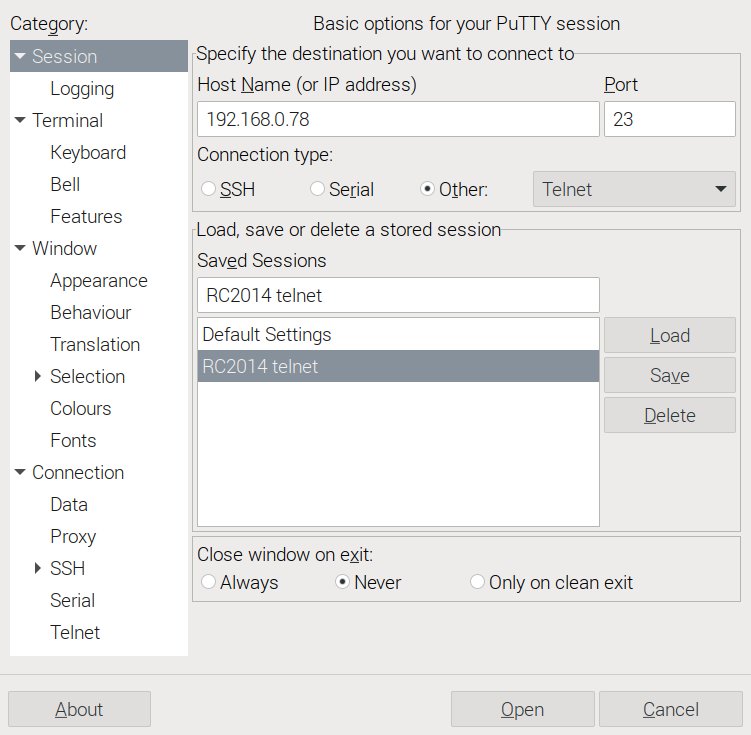
Session parameters - basic options
Use Connection type Other, set to Telnet. (Host name / IP address / Port needs adjusting to suit your network, obviously).
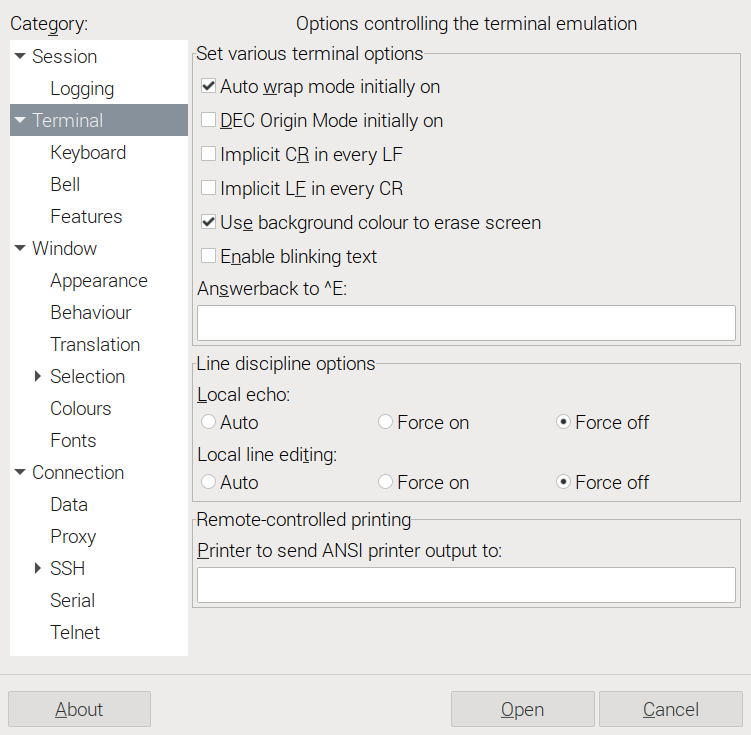
Terminal parameters
The line discipline options are the important ones on this screen. Use the radio buttons to set Local echo and Local line editing to Force off. The Answerback to ^E can be left as it is, but blanking it out seems preferable from a neatness perspective.
Terminal > Keyboard parameters
Backspace key set to Control-H, Home and End keys are Standard, Function keys and keypad are VT100+.

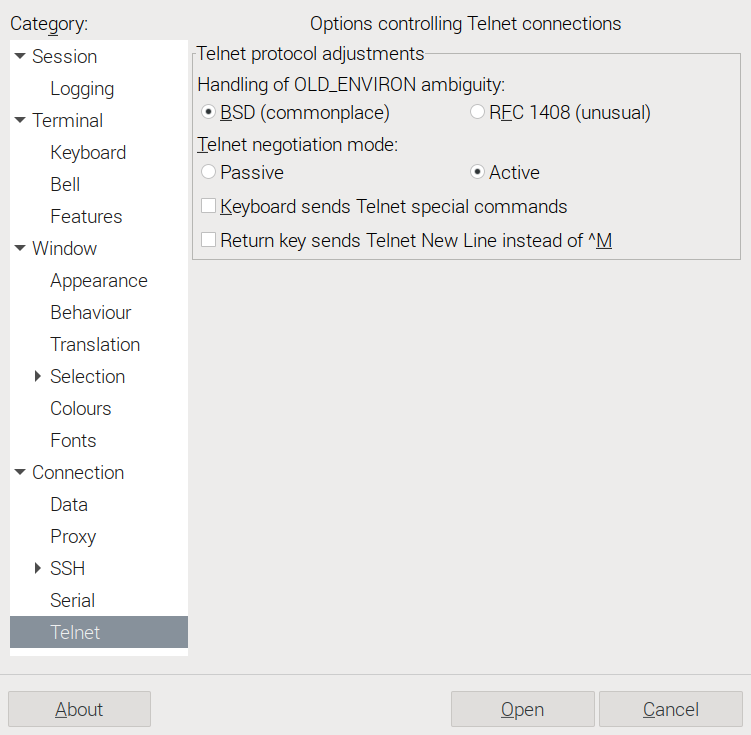
Connection > Telnet parameters
Ensure Return key sends Telnet New Line instead of ^M is not checked.
That's all! Changing drives and typing commands should now display their output correctly, without doubled characters or missing lines.
