RetroChallenge 2022/10 – Progress log
4th October 2022
I think I’ve finished typing! (The printout is around 14 A4 pages). I need to play the game over the next couple of days to iron the bugs out. The ones I’ve found so far have been largely concerned with calculating screen positions (the original game assumes a 40 column display whereas I have 64), mistaking numeric variables for string variables or vice-versa (‘S’ and ‘$’ look very similar to my eyesight these days) and mistyping line numbers in GOTO statements.
I’ve implemented three UK101-specific routines to make the game work. One of these is for timed input as used during combat – it’s CEGMON specific and lifted from the manual. The other two are for saving and loading player data to/from “tape”. These are based on ideas originally published in Practical Electronics magazine for the UK101.
I’m now going to spend some time testing what I have and refactoring some of the code to make it more portable/maintainable than at present. For example, I’m unhappy with some of the characters I’ve chosen for various objects and would like to change them … but as the ASCII codes for them are used in multiple places it’s painful to make changes, especially using the CEGMON editor. It’s a similar issue with POKEs and PEEKs. An easy way to test the refactored code for portability will be to copy it onto one of my Sharp MZs, tweak the values and see if it works where it breaks.
As part of this refactoring exercise I intend to implement some of the published variations which make the original game more complete and more playable.
In the meantime you can find my version 1 code here: https://github.com/psychotimmy/UK101-BASIC/blob/main/TheValley-Version1.bas – As far as I’m aware the first published implementation of ‘The Valley’ for the UK101.
5th October 2022
A miracle has happened!
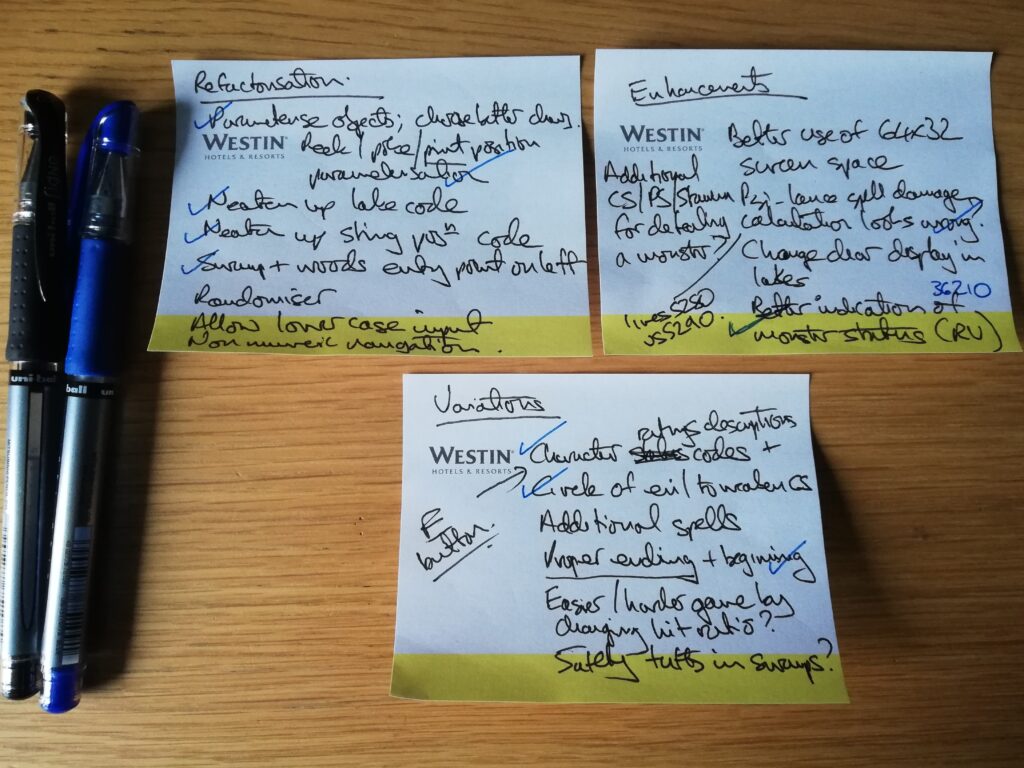
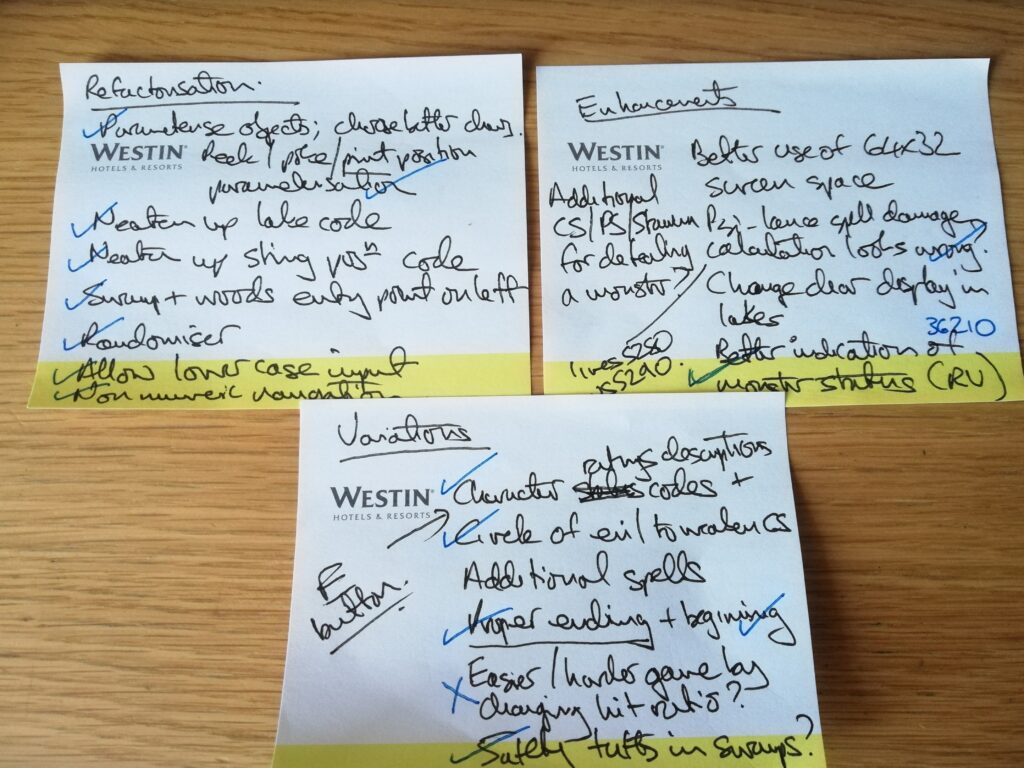
I’ve spent this afternoon testing the code and I haven’t discovered any new bugs. (Which of course doesn’t mean that there aren’t any – just that I haven’t found them yet). I have, however, come up with a whole list of things that I want to improve – loosely categorised into refactoring, variations and enhancements.
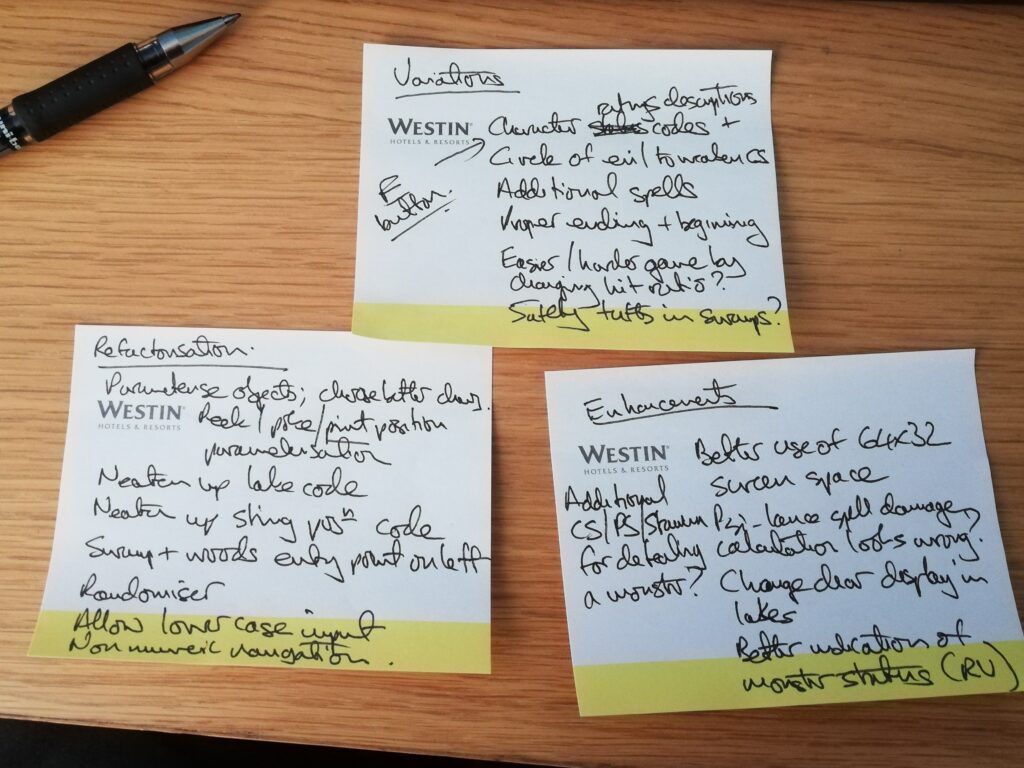
Here’s a quick walkthrough of the game in the company of Tim the Barbarian.
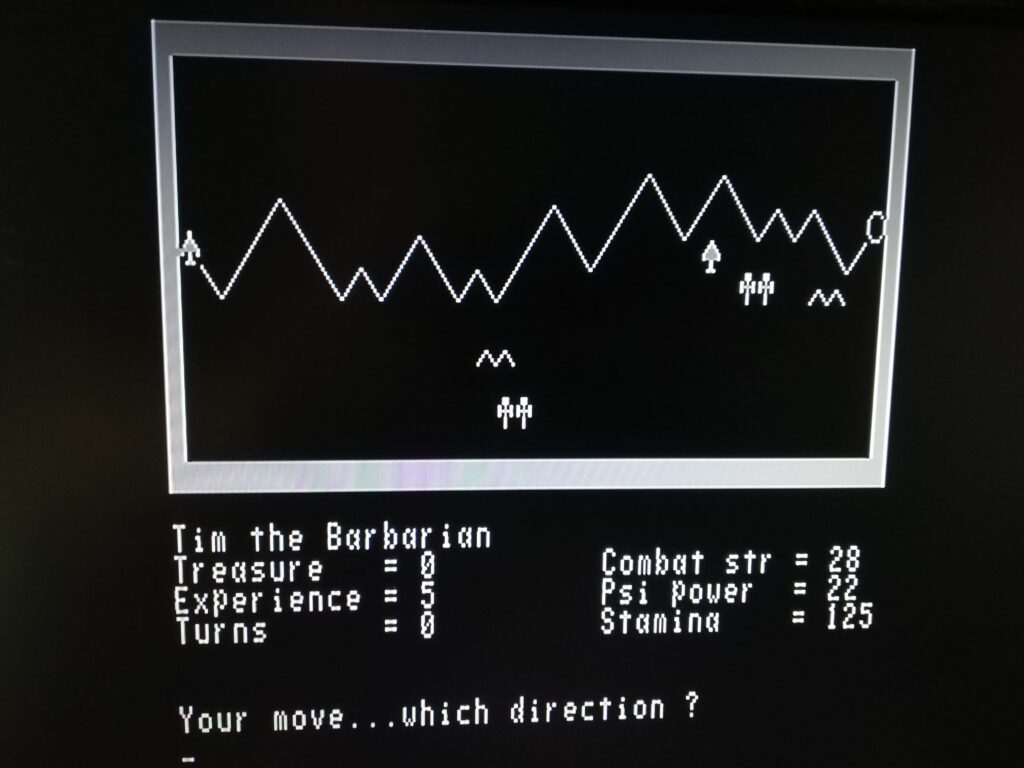
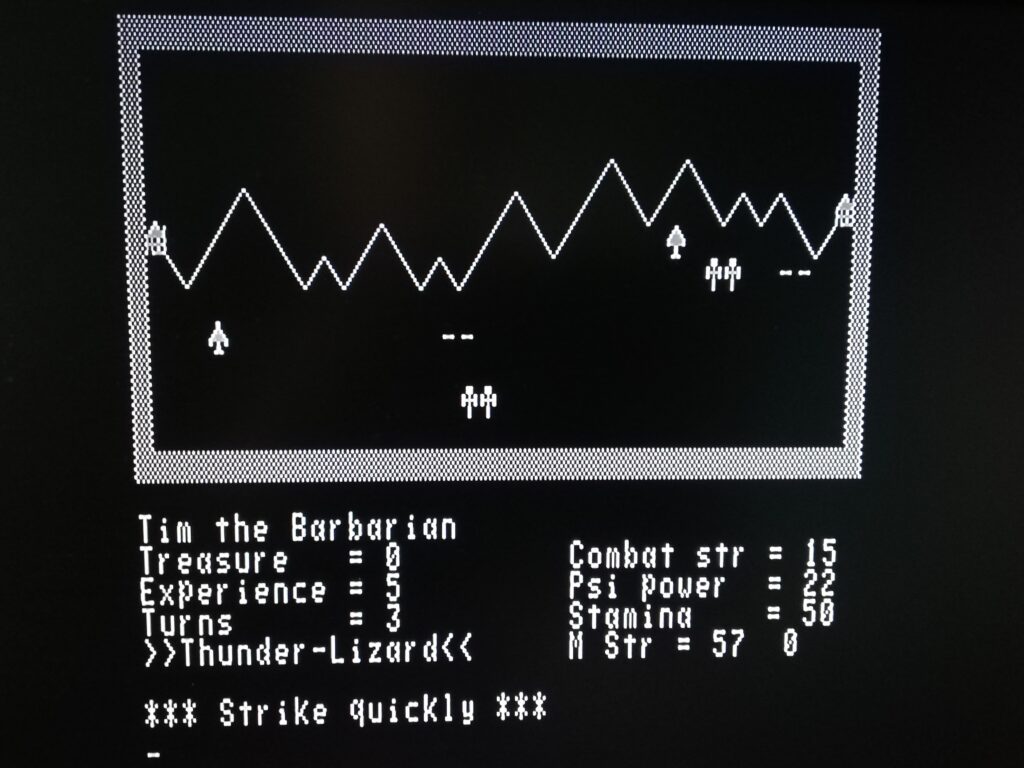
A number of things to address here. I’m not happy with the characters I’ve chosen for some of the objects (Does ^^ really look like a swamp? I think not!) but as they’re hard-coded values they need to be refactored into variables for ease of tinkering. It also demonstrates the limitations of the UK101’s random number generator – you get this exact layout every time you play the game if all you’ve done is reboot the machine, load the code and run it. I’m going to allow a seed to be input to address this as there’s no realtime clock on the UK101 to use instead.
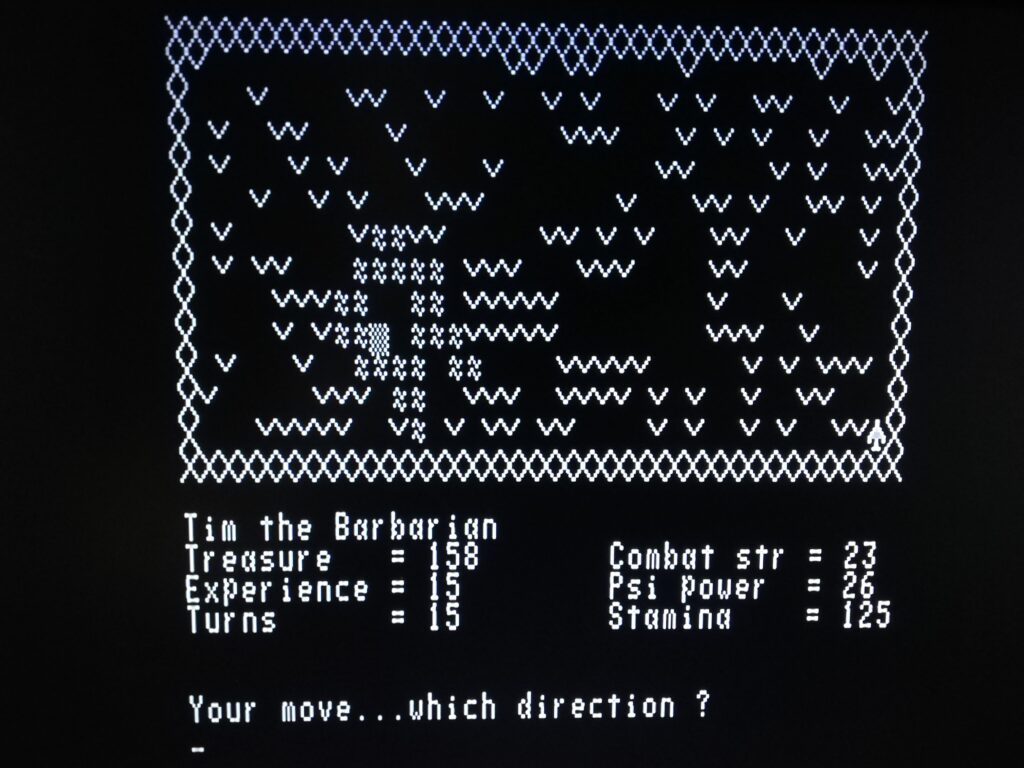
I’ve not chosen the greatest border, the tufts are too big and I’m not keen on Tim the Barbarian entering the scene from the bottom right corner (I’m sure my MZ80K version doesn’t do that!). But I do like the lake symbol … There’s a variation to the code that allows you to find safety on the tufts. I think I’ll implement it as it helps your character in not meeting a sticky end too early. Finding the empty amulet in the Temple of Y’Nagioth in the centre of the lake is the first challenge that needs completing.
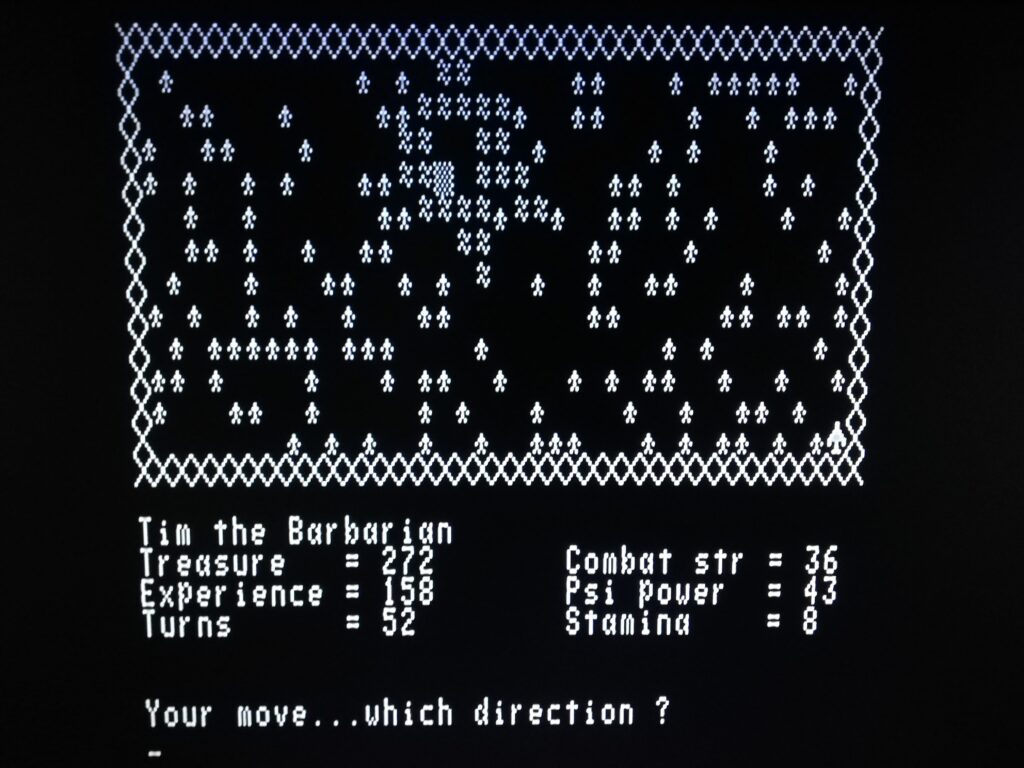
Woods next. Not 100% sure about the tree symbol, but at least it’s a contrasting size to the player’s character. This is the last scene – the Helm of Evanna can be found in Vounim’s Lair at the centre of the lake once the empty amulet has been found and populated with six stones hidden in the Black Tower of Zaexon. Speaking of which …
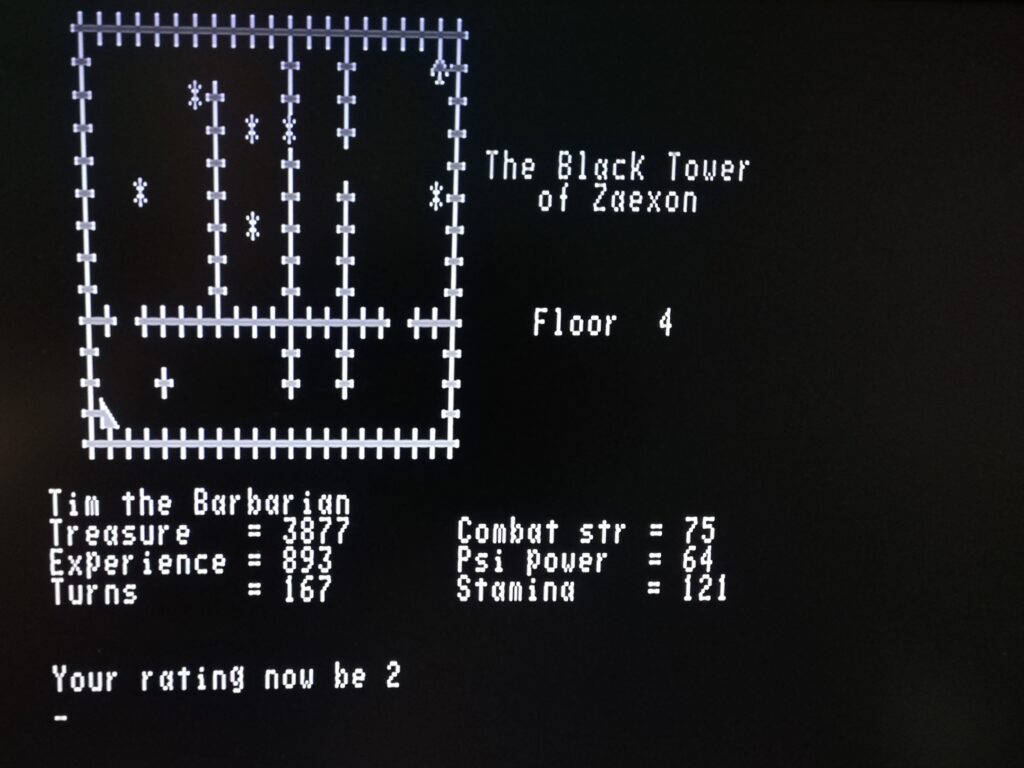
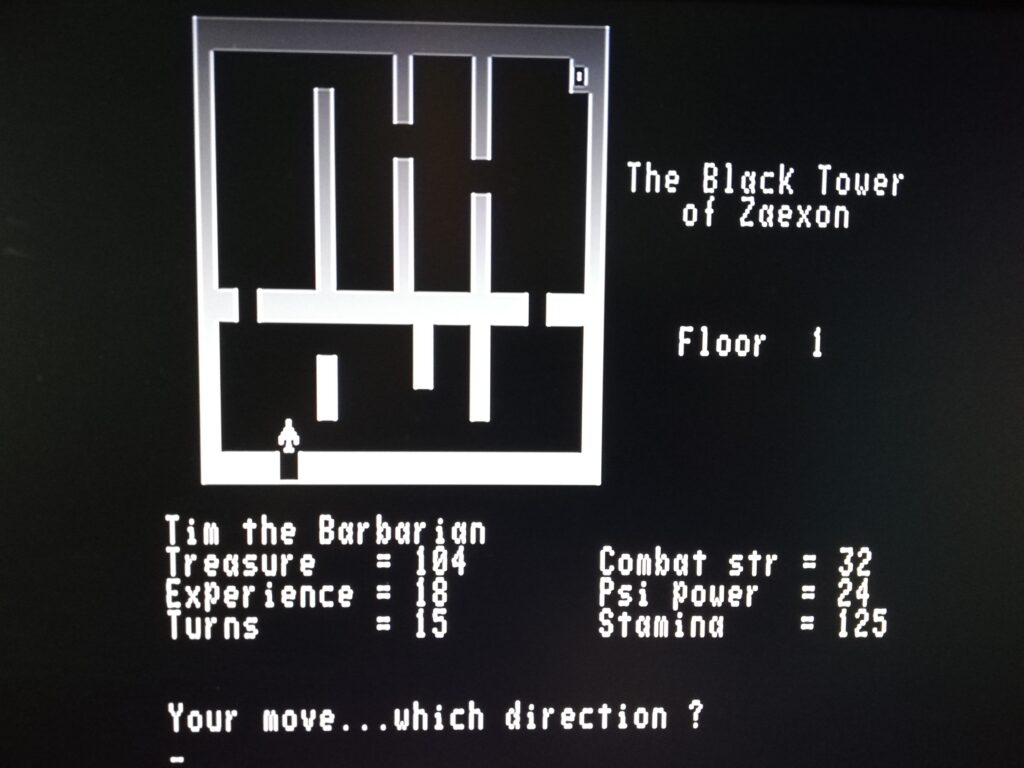
… the stairs symbol isn’t great, the walls symbol I’ve chosen is terrible (did you spot me in the top right of the castle?) and the treasure / amulet stone symbol is OK. I think there may be something better in the UK101 character set however. Ratings work … but it’s easy to add in the variation to give out more than just a number. According to the game’s designers, a rating of 2 is Peasant (which I guess is a marginal improvement of having a rating of 1 – Monster Food).
You need the amulet, its six stones and the Helm of Evanna to win the game. But … there’s no fanfare when you do. Another published variation fixes this oversight.
I’ve three post-it notes worth of changes to get on with already – so I’d better get coding. Hopefully I’ll have another update in a few days time, provided I can avoid too many attacks from the Balrog and his monstrous friends.
6th October 2022
I’ve been working my way through my three post-it notes today – reasonable progress.
10th October 2022
I’ve made reasonable progress on my ‘to-do’ lists over the weekend.
I’m especially pleased with my randomiser implementation. I’ve built it into the ‘press any key’ routine. This is called at the start, after the introductory text is displayed. I challenge anybody to be able to predict precisely how many times the RND function is called before it’s first used in anger by the game. Simple is good!
1599 REM ** Anykey routine
1600 PRINT "** Press any key to continue **"
1610 GC=USR(X):IF GC THEN GC$=CHR$(GC):RETURN
1620 TI=RND(1):GOTO 1610:REM ** Randomise the Randomiser
The two big items I want to look at next are some additional spells (as published in the April 1983 edition of Computing Today) and to use some of the dead space I have on the 64×32 screen layout to better effect. I’ve a couple of ideas about how I’m going to use it.
Once they’re finished, I’m going to call the first part of this project done. Rather than press on with the software aspects as I originally planned, I’m going to have a look at my rather neglected real Computkit UK101 and bring it back into action instead. I know the cassette tape interface requires some TLC – I suspect other things might need some work as well. I have a tube of spare 2114 RAM standing by, as well as some of the 74 series logic chips that I might need. I also have an endless supply of solder, capacitors and resistors …
20th October 2022
After a weekend and more of recovering from a 6th covid vaccination (with a flu vaccination thrown in for good measure), I have returned to The Valley and hereby declare version 2 finished(*), The code is here: The Valley Version 2.
Here’s the list of the (major) differences compared with version 1, that I declared finished on 4th October.
Refactoring work
- Lines 21-42 are used for declaring constants – to help with positioning for pokes, peeks and prints.
- Lines 49-67 are used for declaring more constants – to enable the characters chosen for Valley objects to be tweaked more easily that hard-coding values in the movement subroutine (and other places).
- The swamps/woods and castle generation code has been neatened up a little (lines 11999-14570)
- String positioning code for print statements (lines 130-180) has been improved.
- The swamp and woods are now entered from the bottom left, rather than bottom right corner (line 12200).
- The random number generator is randomised when calling the ‘get any key’ subroutine. This ensures that if you turn the computer on and immediately play the game, the Valley scenario (and first monster fought) are unpredictable.
- Lower case input (during navigation and monster battles) is now accepted as being equivalent to upper case input.
- As well as being able to use the 0-9 keys for navigation, the 7-8-9, U-I-O and J-K-L keys can be used as well. The original UK101 had no numeric keypad (even if my FPGA clone does!) but this arrangement should work well on both.
Enhancements
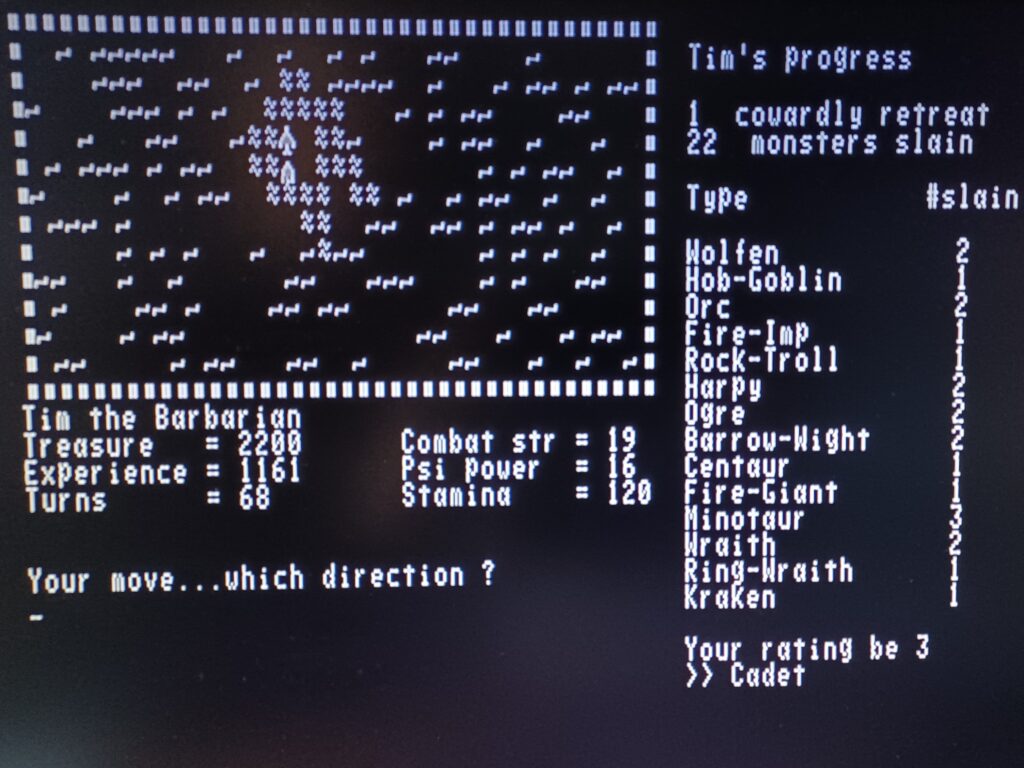
- I’ve made better use of the display columns beyond 40 by introducing a progress summary. This details cowardly retreats, victories and displays your monster kills by type. It also provides rank and amulet status – equivalent to pressing the ‘E’ key (Mostly lines 56999-57240, but UE/UR/UB variables are set and reset when battling monsters, and the save/load character routines store this extended information too).
- The psi-lance spell reports damage in a way that makes more sense – as it reduces both the psi points a monster has and it’s overall strength (lines 5280-5285).
- Monster status when a battle is on is more easily distinguishable from your character’s stats (line 36210).
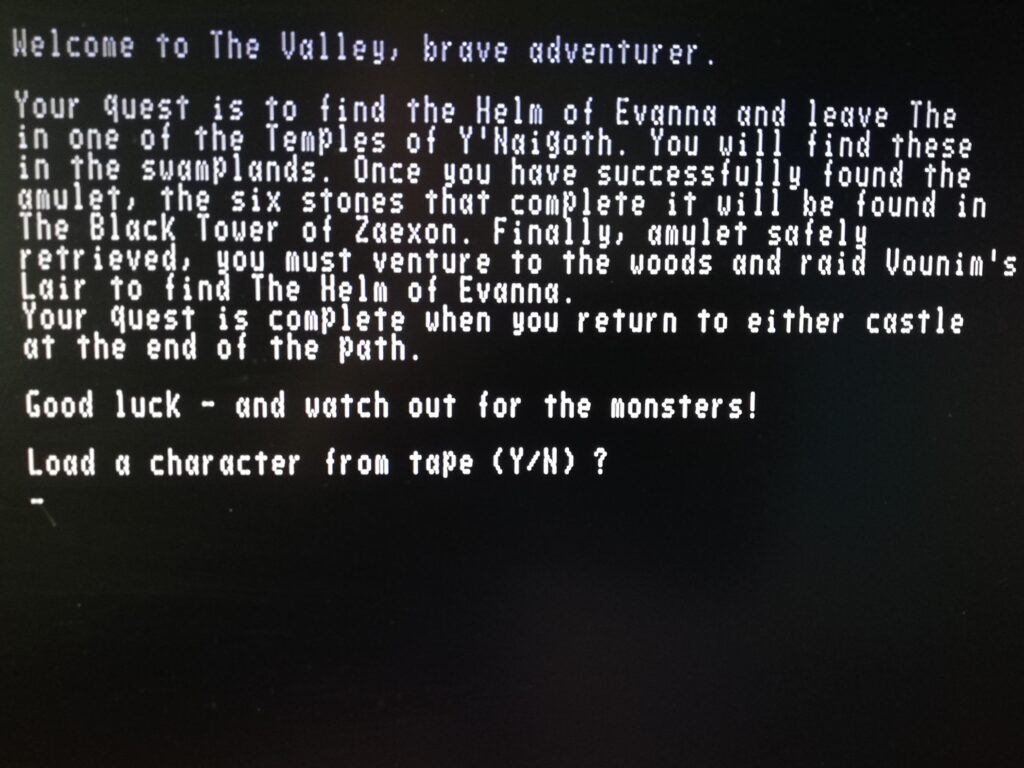
- When entering the game, you are now presented with a rough outline of what’s expected (lines 56109-56280).
Valley variations
Computing Today published a number of variations to the original code (my version 1) in August 1982 and April 1983. I experimented with all of these and decided to adopt four of the five suggested by Andrew Bain in August 1982. (I decided that having Vounim’s Lair disappear after exit was too tiresome – especially if you hadn’t been lucky enough to find the amulet).
- Tufts are safe ground from monsters in the swamps.
- A dramatic ending is provided for successful Valley conquests.
- Rating texts (as well as rating numbers) are provided and displayed when the ‘E’ key is pressed (and in the progress summary enhancement).
- Circles of evil now reduce rather than increase (!!!) your combat strength.
Time to dust off the real hardware and see if I can resuscitate my real UK101 now …
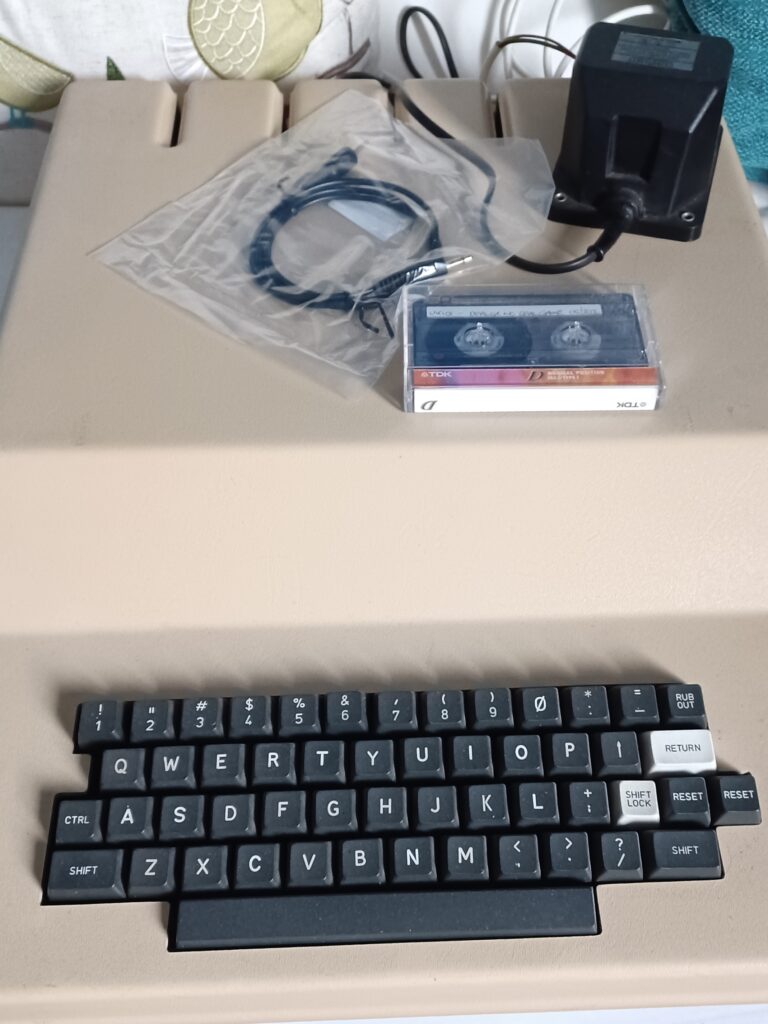
(*) No code is ever finished. It’s one of the reasons I hate seeing code labelled as alpha, beta, version 0.0.7a … etc. It’s a ridiculous affectation that needs to stop now. This is the second version of my code for the UK101 – so it’s version 2.
23rd October 2022
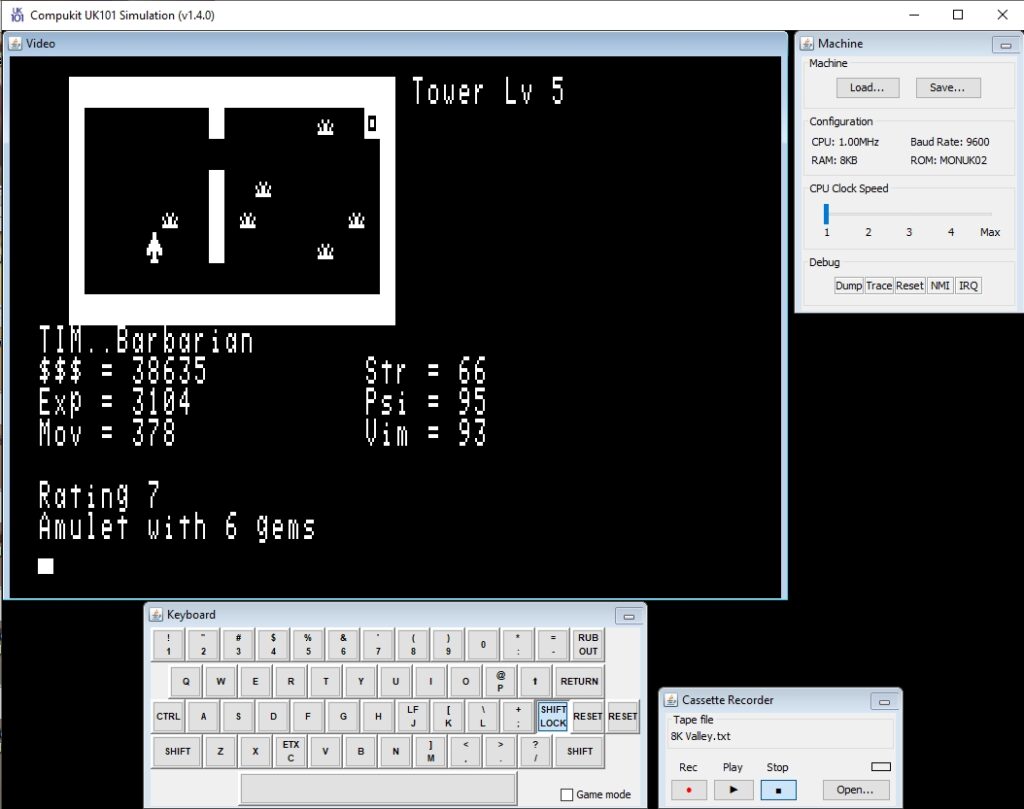
This morning’s cunning plan to take over the kitchen and revive the real hardware has been thwarted by Christmas cake making. So instead I downloaded a copy of Tim Baldwin’s excellent UK101 simulator and tried out The Valley.
It works – with one minor tweak. This overcomes what I think is a slight issue in the way the screen.offset property is handled when using the patched CEGMON32 ROM supplied with the simulator. With screen.offset set to 0, I was expecting to have all 64 columns available – but on boot it’s still defaulting to starting each line around column 12.
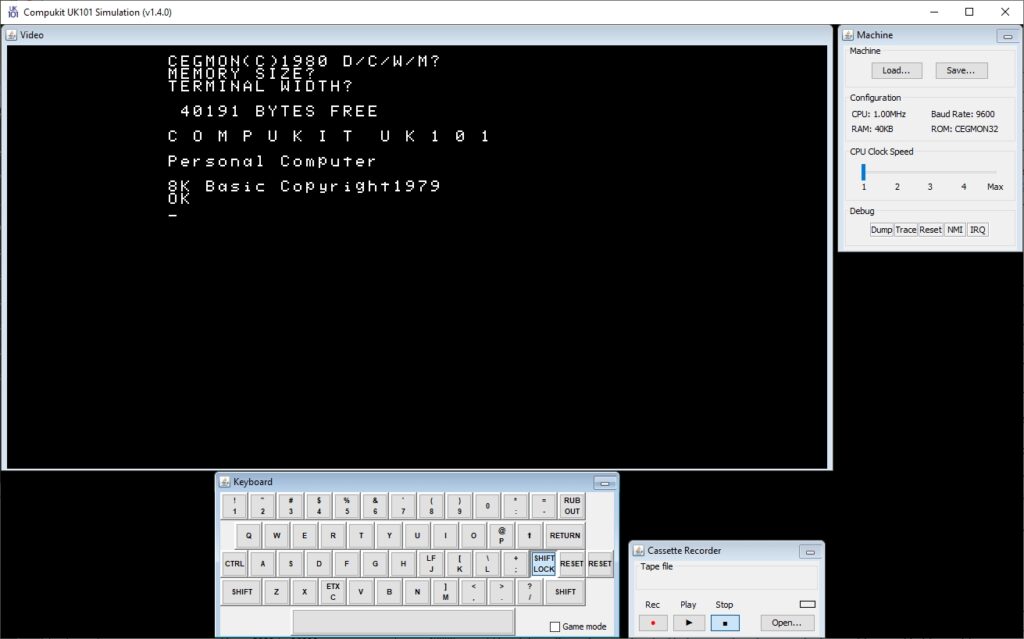
To make use of all 64 columns, an explicit (full screen) CEGMON window has to be initialised – achieved on BASIC line 380 of my revised code.
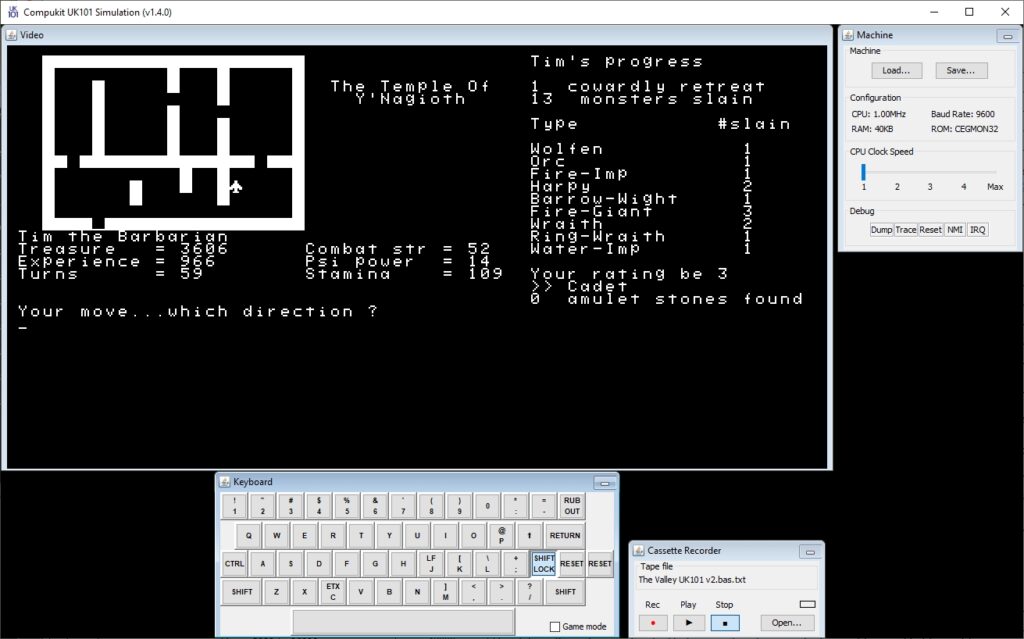
The simulator should prove very useful when I get the real hardware to work – as it can output a 300 baud audio file suitable for writing to a cassette tape. Much less painful than retyping (a subset of) the code again.
25th October 2022
A lesson in squeezing quarts into pint pots.* In preparation for my (stretch target) 8K Valley version, I decided to see how much space I could save by making some gentle(ish) changes to the code. Version 2 runs happily in 32K RAM.
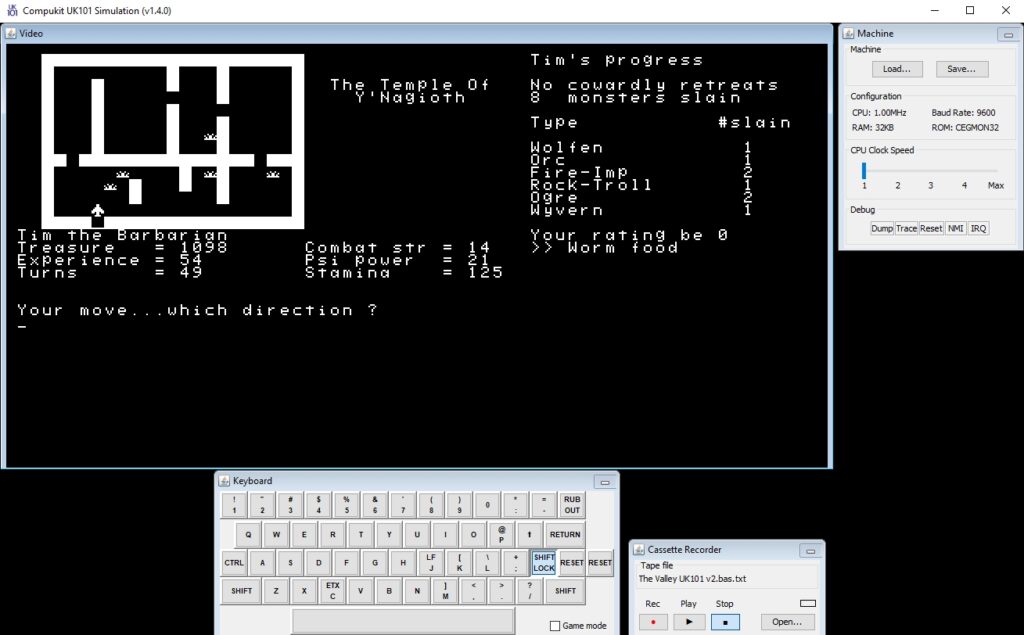
I can make it work comfortably in 16K by removing:
- All the REM statements
- All the superfluous spaces (at the expense of code readability)
- The introductory text and winner’s fanfare
- Character choice (but who in their right mind would chose to be anything other than a Barbarian?)
- The load and save character routines
- The extended status area (there isn’t space for it anyway on an unpatched monitor ROM)
- Character ratings DATA (Monster Food and the like …)
- Spells 2 & 3 (a Barbarian is unlikely to be able to use these well as they don’t develop enough psi power)
- The ability to aim for the ‘L’eg when in combat (Barbarians think that’s a wussy move anyway)
- Some of the battle and treasure find messages
- NEXT statements can have their counter variable removed (NEXT J becomes NEXT)
- The non-numeric keypad extensions to allow movement using the 789-UIO-JKL keys
- The ability to use lower case as well as upper case for movement and fighting
Concatenating some of the shorter BASIC statements results in a 4 byte saving per line removal.
There is also an obvious way of tidying up the lake and castle drawing routines that saves a little space and I will incorporate this change into my definitive ‘version 2’ code.
I estimate that these changes mean I can run ‘The Valley’ in around 14K. I need to find another 6K somewhere. I’m going to see if I can do this without being overly brutal to the essence of the game. But I am a barbarian at heart I suppose …
In the words of Fred Brooks in ‘The Mythical Man Month‘, you should “plan to throw one away” (because even if you don’t plan to throw your first version of code away, you will do anyway). I’m therefore going to throw my current reduced code version away as the removal of REMS, spaces and concatenation of lines has made the code far too difficult to reduce further without compromising its integrity. My second attempt will remove functionality first and then implement the non-functional space savings. It will almost certainly be faster to work this way around, now that I have some idea of where I want to go!
(*) Given that I’m 4x over my 8K RAM budget on version 2, perhaps this is a lesson in squeezing gallons into quarts.
28th October 2022
Having taken Fred Brooks’ advice to heart, I threw my initial hack down to 16K away and started again. This time I have a version that works in 16K *and* by taking far more care over the edits, works reliably(*).
I’ve also been able to preserve the non-numeric keypad extension for movement and fighting, the ‘anykey’ randomiser (see the 10th October update) and the ‘L’eg combat option despite my inner Barbarian still telling me it’s a wussy thing to attempt (it’s a move very certain of success but very certain of not doing much damage to a monster).
Through trial and error it seems that there needs to be around 3,200 bytes available (as reported by FRE(X)) for The Valley to run once loaded. This version leaves 3,858 bytes free, so very comfortably meets that constraint.
One further space saving I made (compared to my original hacks) was to move the delay and wipe subroutine from line 36000 t0 line 36. It doesn’t sound like much, but as it’s called from a total of 37 different places in the code, this change saves 140 bytes with no impact on functionality. Moving the combat get subroutine from line 1700 to line 17 saves a few more bytes as well.
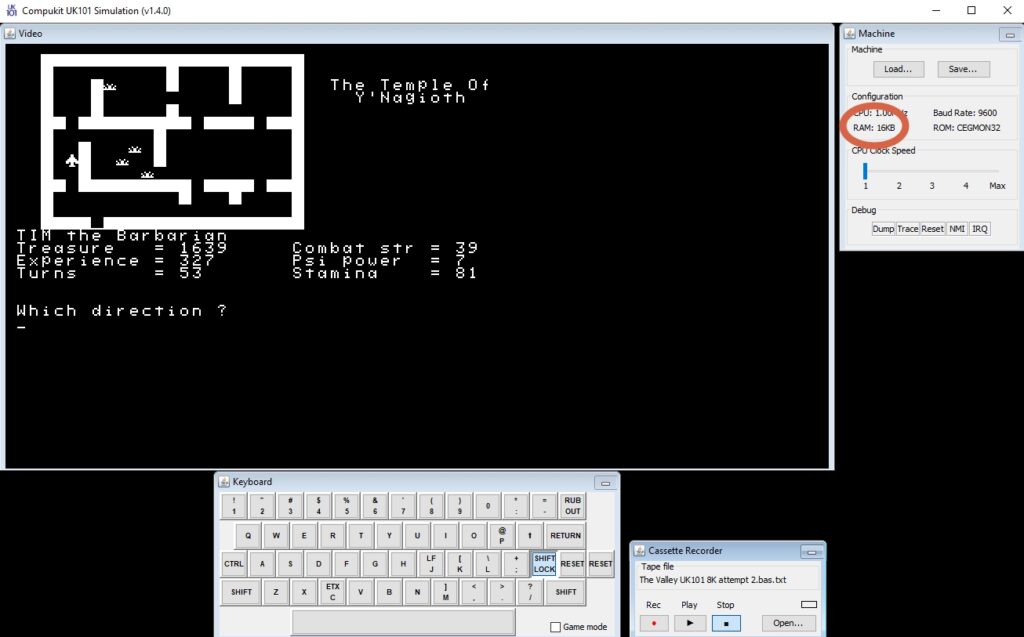
I’m calling this 16K version finished – so here it is if you want to try it out.
The next step on the way to an 8K version is to take this one and ensure it can run in a standard 48 column x 16 line monitor. That should be relatively straightforward, but I will need to tweak either the playing area or the status area (or both) – as the game was originally written for a 40 column x 20 line display. The Commodore PET heritage of The Valley is apparent everywhere you look.
Three and a bit days left in the challenge. Even though I reached my primary aim some time ago, I’d quite like to make further progress on my stretch goals. As such, I’m torn as to whether to press on with tweaking the software to work in 8K or fix my UK101 hardware before the 31st, Decisions, decisions …
(*) In the process of creating the 16K version I uncovered a nasty bug in line 3030 that I’d introduced when typing the code in. I had a bracket in the wrong place, which meant that under rare but unfortunate circumstances the code would hang when selecting a lake monster type (trying to access the 20th element of a 19 element array is never recommended). I’ve corrected this error in all three versions of the code I’ve published to my UK101 BASIC github repository.
28th October 2022 – pm
More good progress this afternoon. I now have a 16K version working on an unaltered CEGMON. This means the software will now run in the UK101 default resolution of 48 columns x 16 lines – another step towards an 8k version. The time I spent parameterising the code earlier on this month seems to have paid off.
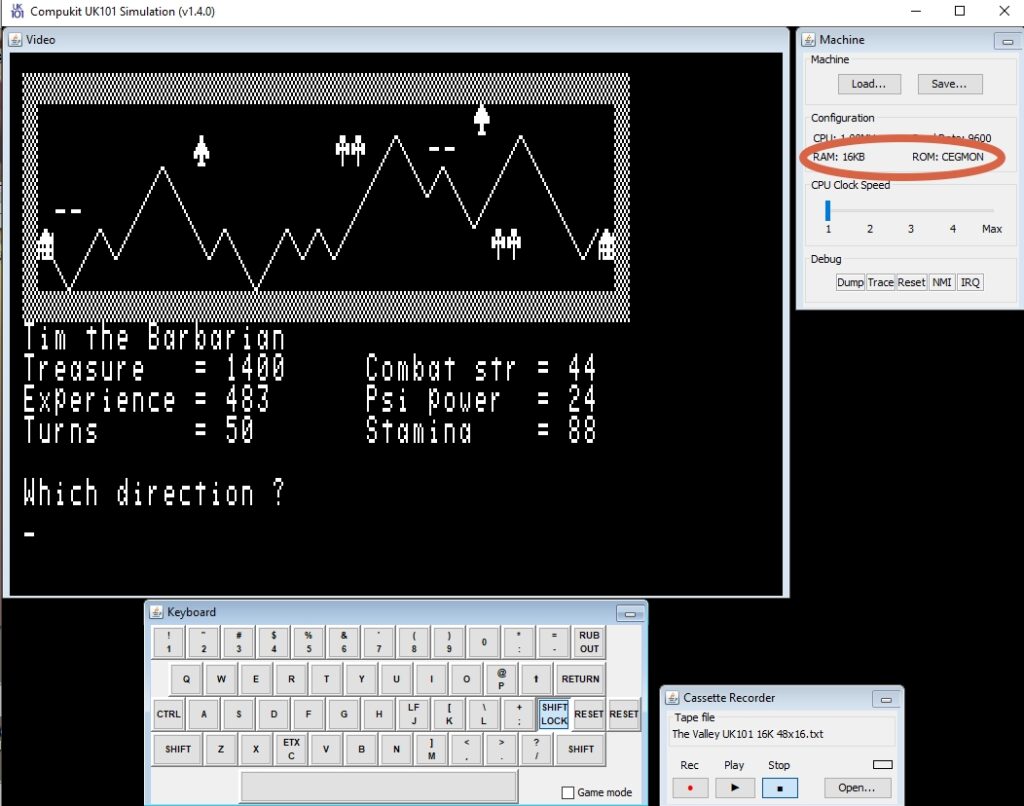
This is now version 4 of the code – available here.
29th October 2022
I’m sticking with software for the time being, partly because in my excitement of squeezing The Valley down to 16K I’d fogotten that I needed to convert the code to work with the original Compukit UK101 monitor (MONUK02) rather than the later CEGMON, if I was going to stand any chance of it working on the real hardware I have. (And also partly because I’m a software geek rather than a soldering iron jockey at heart).
Fortunately this wasn’t too difficult. The main differences (as far as The Valley is concerned) between the original monitor and CEGMON are:
- The code required for the ‘GET’ key routine (line 56000 onwards). I’ve used the code published by ‘Practical Electronics’ magazine in September 1980 to implement this. As it’s really just a bunch of POKEs, I was rather nervous that it wouldn’t work given that the code would have been typeset manually. So I wrote a small test rig before hacking it into The Valley. It worked first time … yay for great typesetters!
1 REM ** GET keyboard character routine
2 REM ** UK101, Original Monitor (MONUK02)
3 REM ** From Practical Electronics magazine, Sept. 1980
10 FOR A=546 TO 597
20 READ B:POKE A,B:NEXT
30 DATA 169,2,32,190,252,32,198,252,208,7,10,208,245,169,32
40 DATA 208,28,74,32,200,253,152,133,252,10,10,10,56,229
50 DATA 252,133,252,138,74,32,200,253,24,152,101,252,168
60 DATA 185,207,253,160,0,41,127,145,105,96,0
100 REM ** Test the USR
110 A$=" ":POKE 11,34:POKE 12,2:X=USR(X):IF ASC(A$)=32 THEN 110
120 PRINT A$;
130 IF A$<>"Q" THEN 110
140 END- The cursor movement codes are subtley different to those used in CEGMON. For example CHR$(12) is the clear screen character when using the original monitor rather than the non-destuctive home character when using CEGMON. Worse, the original monitor doesn’t have a non-destructive home character at all. Instead, the following workaround is required:
3 CU$=CHR$(11):CH$=CU$:FORI=1TO15:CH$=CH$+CU$:NEXT- The original monitor seems to cut off an additional column from the left hand side of the display, meaning that the POKEd characters (like castle walls) were out of sync with PRINTed characters (such as the stairs and status messages). Fortunately simple to resolve because of the parameterisation effort I’d put in earlier during the challenge. So the very first assignment on the first line of my code became TL=53261 instead of TL=53260.
So this has resulted in a version of The Valley that will now run in 16K using the original monitor. Onwards to the 8K goal!
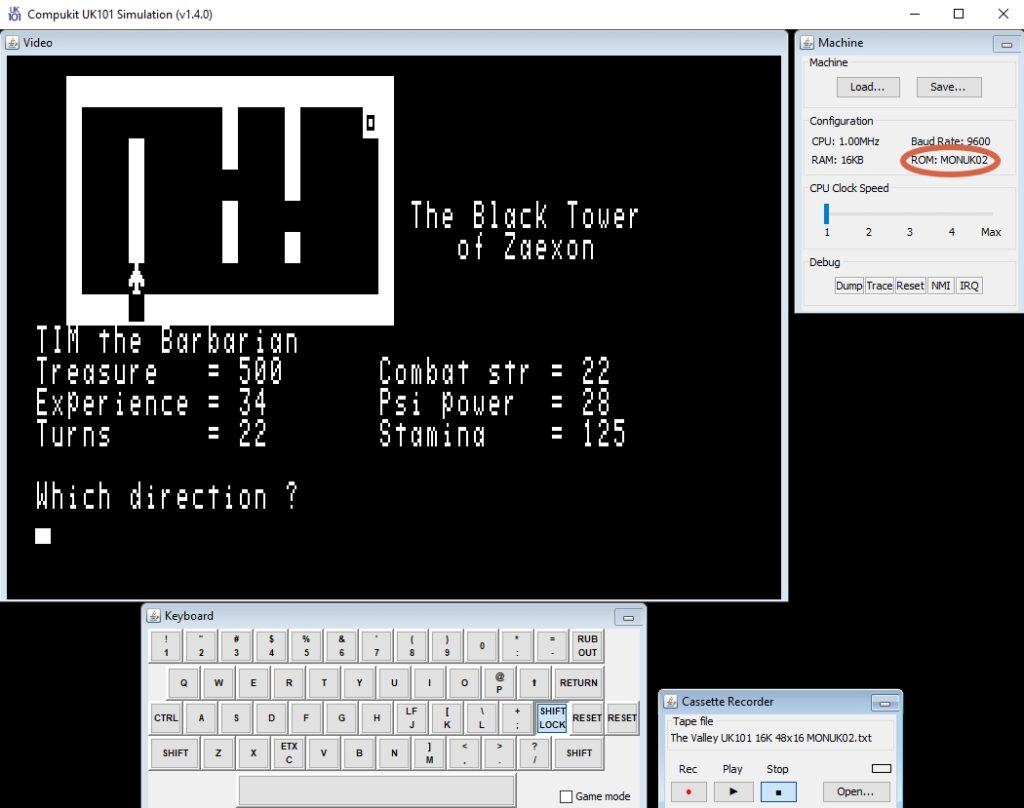
So this is version 5 of the code – available here.
31st October 2022
Got there! With a few hours to spare to the deadline I have an 8K implementation of The Valley for the Comukit UK101. Final write-up and self-assessment of the challenge to follow in a day or two when I have some vim and psi power restored 🙂
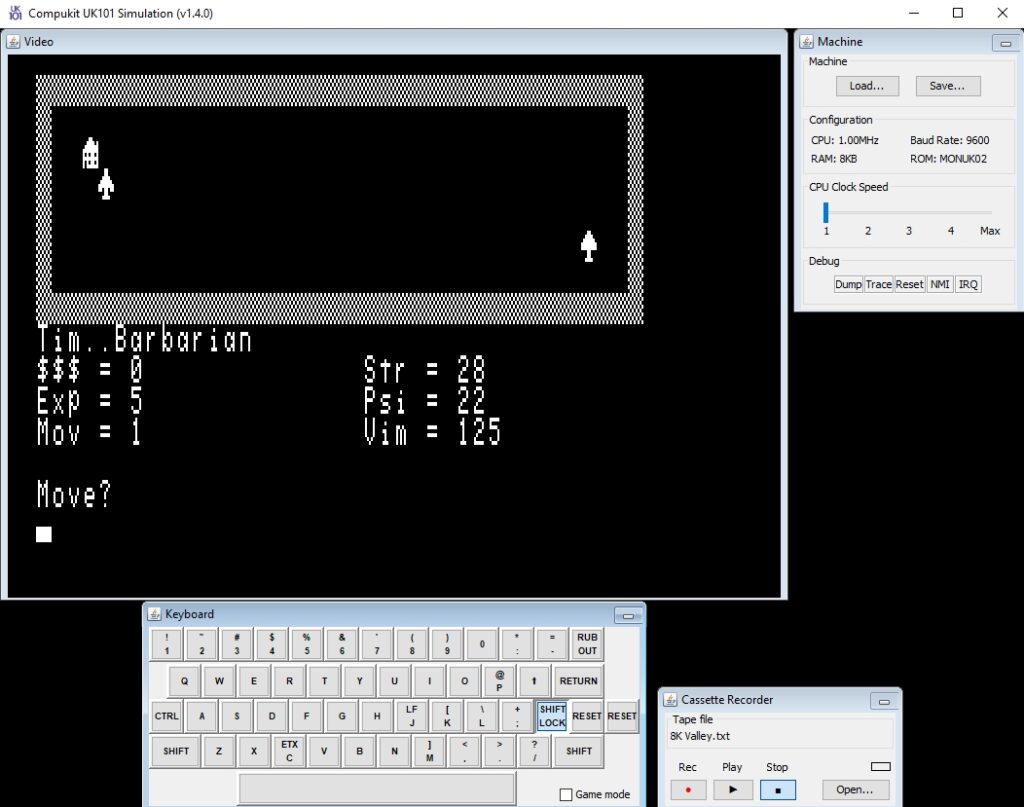
This version is available in my Compukit UK101 BASIC repository. You need to run the preloader first (TheValley-Version6a.bas) followed by the game proper (TheValley-Version6b.bas).